Noshby and Paprika
Paprika keeps your recipes. Noshby knows what’s in your fridge.
Paprika is a recipe manager with a pantry list on the side. Noshby is the other way round: it starts with the food you bought and works out dinner from there. Here is what that adds, and where Paprika is still the better pick.
Free to use. You can close the Pro offer and keep going.
Two apps for two different jobs
Paprika 4 arrived in November 2026 and it is a very good recipe manager: it saves recipes from websites, keeps them organised, walks you through cooking them, and syncs across phones and computers.
Its pantry is a list you keep yourself. You type each item in, or scan one barcode at a time with Paprika Premium, and enter the expiration date by hand. Paprika works from the recipes you have saved.
Noshby starts from the groceries. One photo stocks the kitchen, each item gets a date, you get a reminder before it expires, and dinner ideas are built from what needs using first. Some people will want both apps.
Pick Noshby if
- You want to know what is in the fridge without typing it in or scanning barcodes one by one.
- You throw food away and want dinner ideas that start with what expires first.
- You want the people you live with to see the same fridge and list, and to ask each other to pick things up.
Stay with Paprika if
- A large recipe collection is the heart of your kitchen. Paprika is one of the best recipe managers there is.
- Price matters most. Paprika Premium costs less than Noshby Pro, and people who bought an earlier Paprika keep a lot without subscribing.
- You need Android, a computer or a watch today. Noshby is on iPhone, with Android coming soon.
What Noshby adds to the kitchen.
Real screens from the app. A small Pro mark means that part needs Noshby Pro.
StockPro
One photo, not forty barcodes.
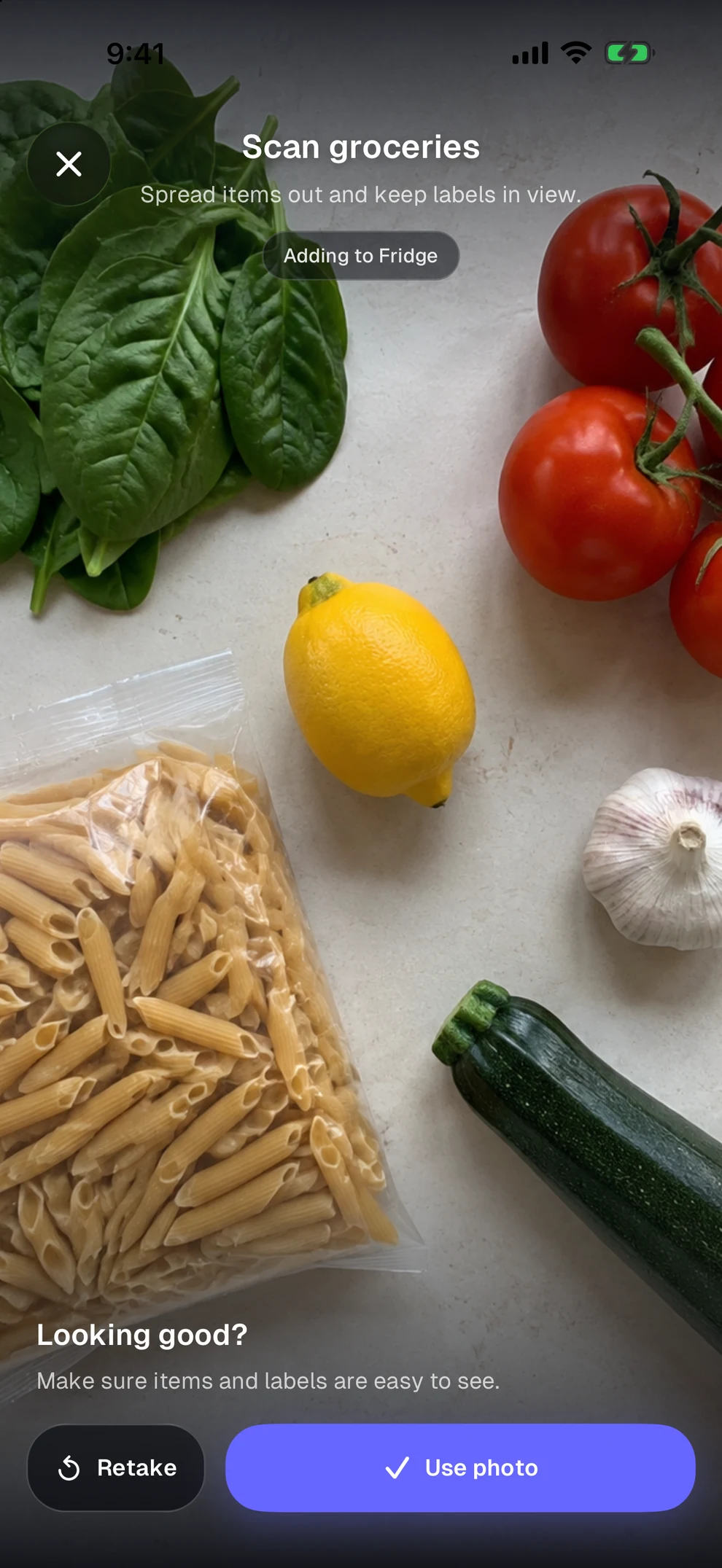
Photograph the groceries or the receipt. Noshby names each item, shelves it, and gives it a date. Your first scan is free.
CookPro
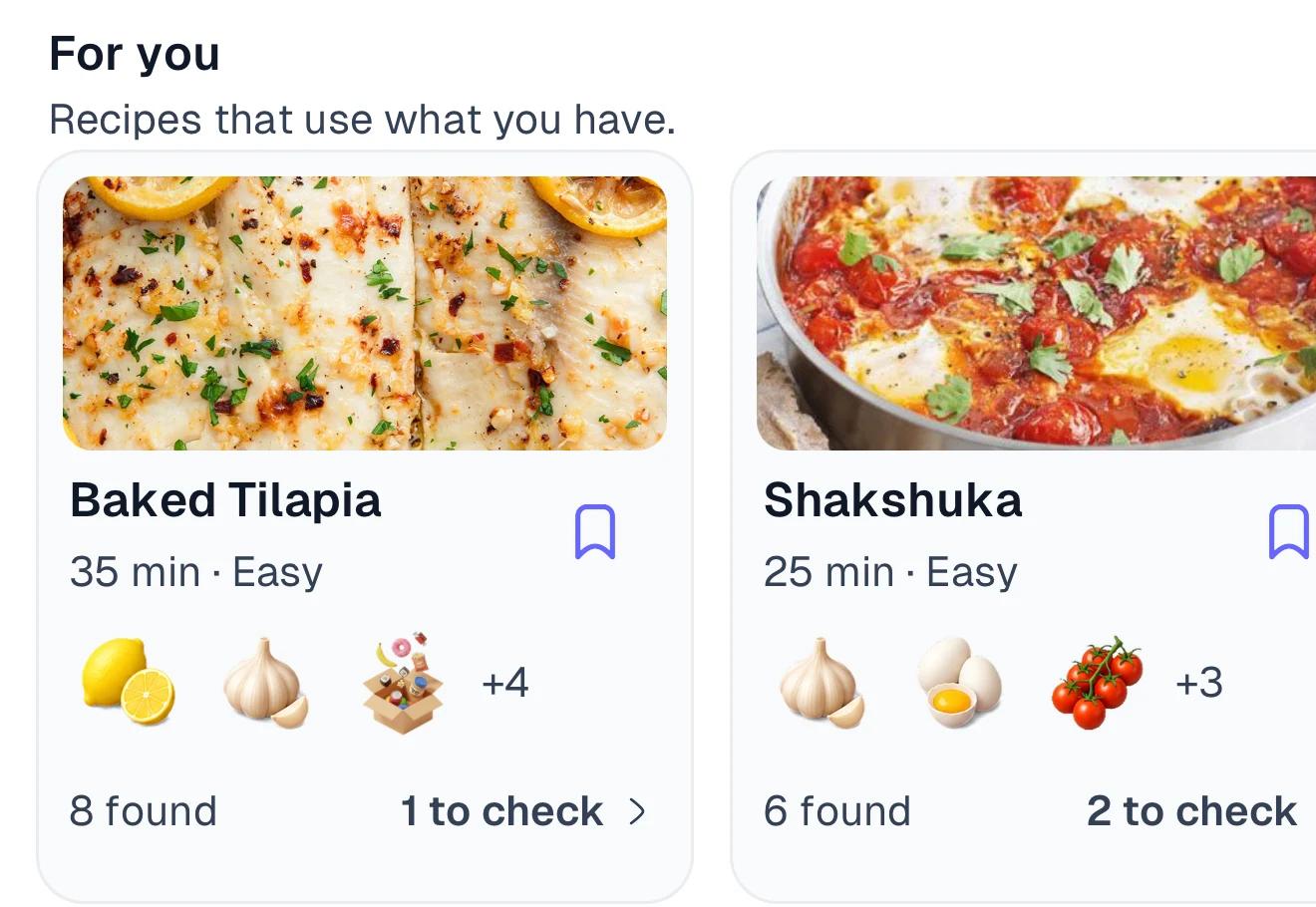
Dinner from what expires first.
Recipes are built around what is already in your kitchen, soonest dates first, and show how much of each you have.
SharePro
One kitchen, everyone in it.
The fridge, the list and the plan stay in sync for up to four people. One person has Pro; everyone else joins free.
What Noshby does that Paprika doesn’t.
Six things first, then the rows where Paprika comes out ahead.
Stocking the kitchen
- Noshby
- One photo of the groceries or the receipt adds everything at once (Pro; first scan free). Adding by hand is free.
- Paprika
- Each item is typed in, or scanned one barcode at a time with Premium.
Expiration dates
- Noshby
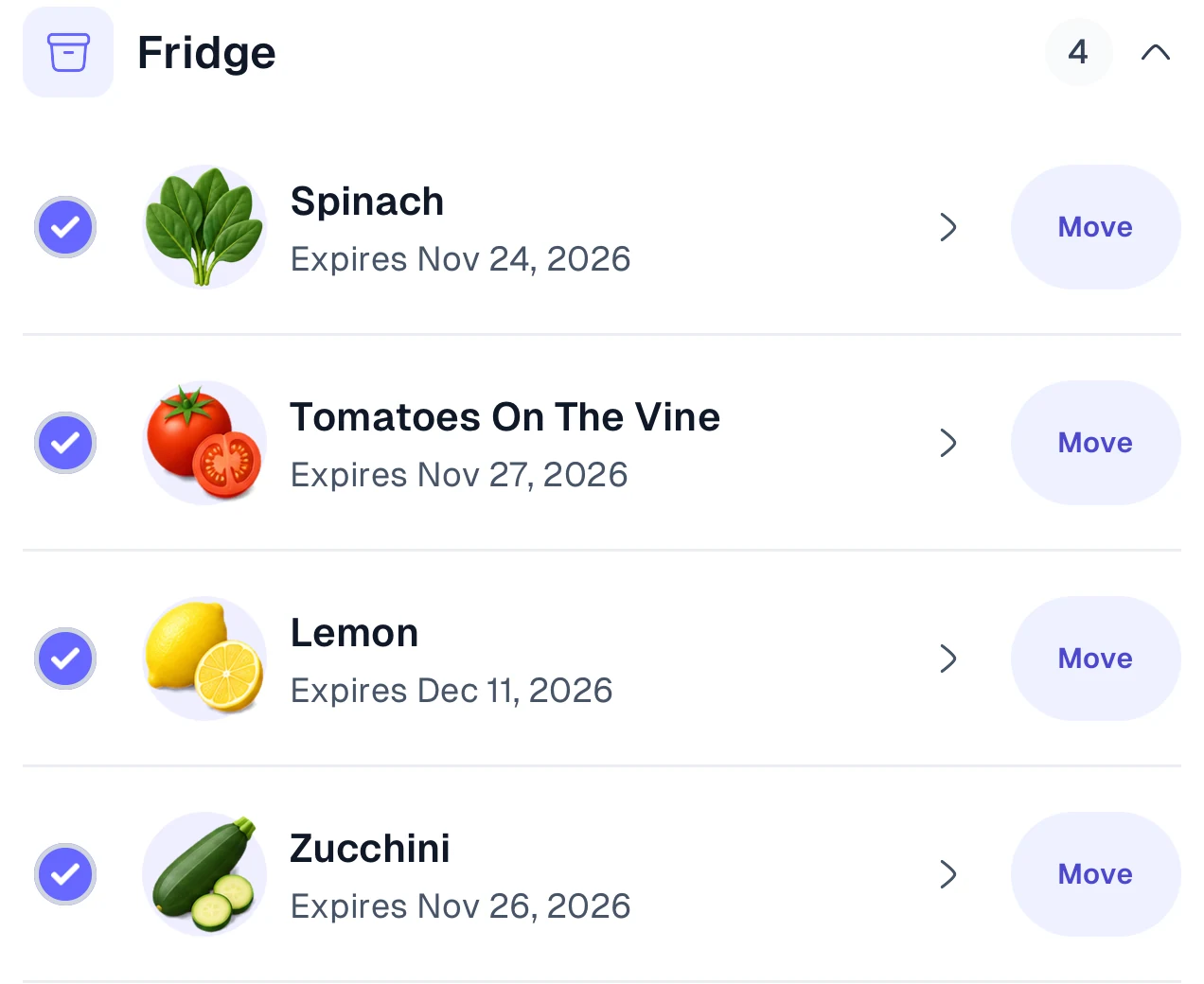
- A photo scan fills in a date for each item, and Noshby reminds you before food expires. Reminders are free.
- Paprika
- You enter each date yourself and can sort the pantry by it. Its guide does not describe reminders.
Dinner from what you have
- Noshby
- New recipes built around your kitchen, soonest dates first, showing how much of each you have (Pro).
- Paprika
- It works from the recipes you have saved.
A week planned for you
- Noshby
- A week of meals drafted around what needs using first (Pro). Planning by hand is free.
- Paprika
- You plan each meal yourself, by day, week or month, with reusable menus.
Making a recipe fit
- Noshby
- Any recipe can be rewritten around what you have or how you eat (Pro).
- Paprika
- Ingredient substitutions, on Apple devices with Apple Intelligence.
Asking for a pickup
- Noshby
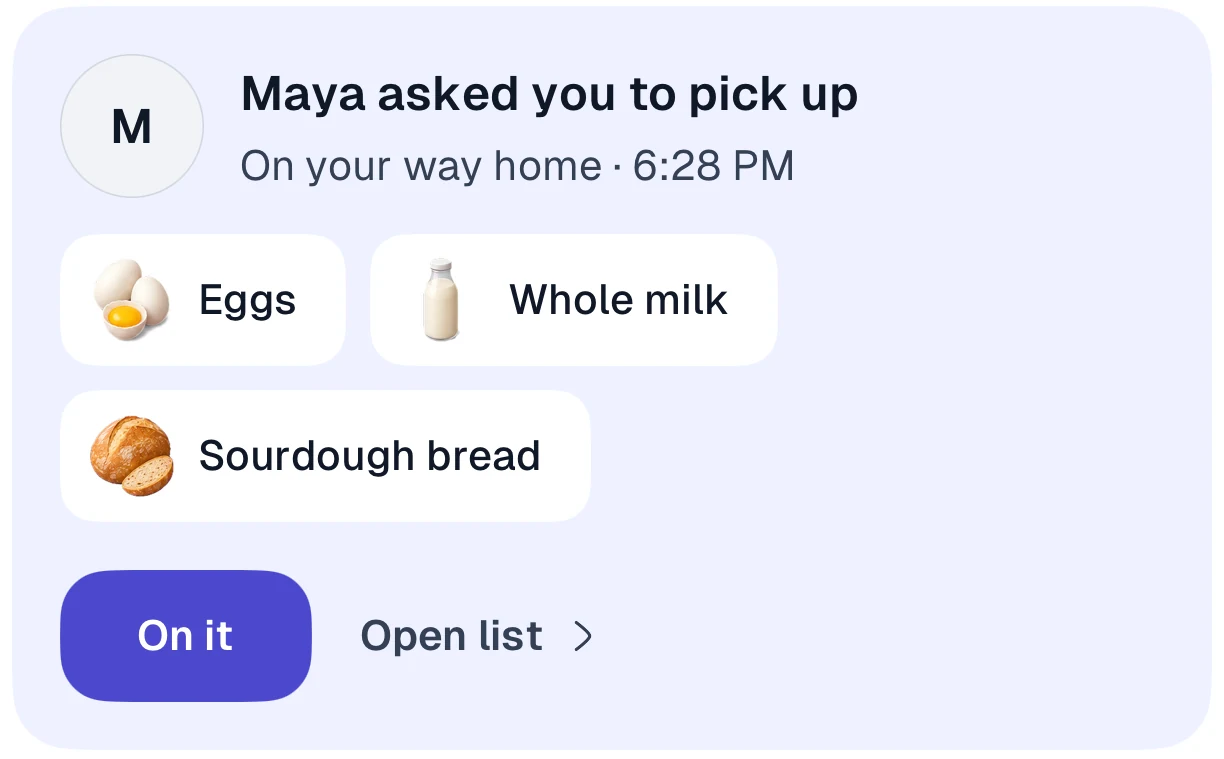
- Out of milk? Send a nudge and someone in your household can answer “On it”.
- Paprika
- Family members share one account; messages are for sending recipes.
Household size
- Noshby
- Up to four people on one Pro plan; members join free.
- Paprika
- You and five others with Premium.
Recipe library tools
- Noshby
- Bring up to 500 recipes at once from a Paprika export or a list of links, save from videos and photos (all Pro), or type your own for free. Export your kitchen as a file.
- Paprika
- Website saving on every plan, a hands-free cook mode, advanced search, and export.
Price
- Noshby
- Free to use; Pro is $4.99 a month or $39.99 a year (U.S.), 7-day free trial.
- Paprika
- Free for up to 50 recipes; Premium is a yearly plan that costs less than Noshby Pro. See Paprika’s site for today’s price.
Where it runs
- Noshby
- iPhone. Android is coming soon.
- Paprika
- iPhone, iPad, Mac, Android and Windows on one plan.
What Noshby costs, before you download it.
No trial you have to start first. The paid parts are the ones that cost us money every time they run.
Free, for as long as you like
Tracking your kitchen by hand, expiry reminders, shopping lists, typing in your own recipes, planning meals by hand, and joining someone’s household.
Noshby Pro
$4.99 a month or $39.99 a year in the U.S., with a 7-day free trial. Adds photo and receipt scans, saving recipes from links, videos and photos, recipes and meal plans made from what you have, and starting a household of up to four.
Bringing your Paprika recipes with you
Noshby reads Paprika’s own export file, so your recipes can come along. Your Paprika library stays where it is.
- 1
Keep Paprika installed
Nothing about trying Noshby touches your Paprika recipes. Export a copy from Paprika’s settings first if you want a backup.
- 2
Start with the kitchen, not the cookbook
Take one photo of this week’s groceries. That first scan is free, and it is where Noshby starts.
- 3
Bring your cookbook
Export your recipes from Paprika’s settings, then open that file in Noshby under Bring your recipes. With Pro, up to 500 recipes come over, with ingredients matched to your kitchen. A bigger library can follow in later months from the same file. Photos do not come along yet.
Quick questions.
The ones people ask before switching.
Is Noshby a full replacement for Paprika?
Not for everyone. Paprika is a deeper recipe manager and runs on more devices. Noshby is built around the food you already have: it tracks your fridge and pantry, reminds you before things expire, and plans dinner from that. Plenty of people will be happier keeping Paprika for recipes.
What does Noshby do that Paprika does not?
It stocks your kitchen from one photo of the groceries or the receipt, reminds you before food expires, builds new recipes and a week of meals from what you have, and lets your household nudge each other to pick things up. The photo scans and the recipes and plans made for you are part of Noshby Pro.
Is Noshby cheaper than Paprika?
No. Noshby Pro is $4.99 a month or $39.99 a year in the U.S., and Paprika Premium costs less. Noshby Pro pays for the parts that cost money every time they run: reading a photo of your groceries, and writing recipes and plans around your kitchen.
Is saving recipes from websites free in Noshby?
No. Saving a recipe from a link, a video or a photo is part of Noshby Pro, because every import costs us money to run. Typing in your own recipes is free, and so are your kitchen, your shopping lists and planning meals by hand.
Can I import my whole Paprika library into Noshby?
Yes, with Noshby Pro. Export your recipes from Paprika’s settings and open the file in Noshby under Bring your recipes. Up to 500 recipes come over in one go. If your library is bigger, choose the same file again in a later month and the rest follow. Recipe photos do not come along yet.
Do I have to start a trial to use Noshby?
No. When Noshby shows its plans you can close them and keep using the free parts for as long as you like. If you do start the 7-day free trial, the price that follows is shown before you confirm, and you can cancel in your App Store settings.
What this page says about Paprika comes from its own pages, read on November 27, 2026: Paprika: features and plans, Paprika: plans and pricing guide, Paprika: pantry guide, Paprika: meal planner guide, Paprika: sharing guide, Paprika: settings guide (export). Apps change; if something here is out of date, tell us and we will fix it. Paprika is a trademark of its owner. Noshby is not affiliated with or endorsed by Paprika.
Keep the cookbook. Fix the fridge.
Noshby remembers what you bought, reminds you before it expires, and turns what you have into dinner.